DEALER LOGIN
Selling Strategies - Honda Information Center
 Selling Strategies

Lead Response and Follow-Up:
Dealership Best Practices
Fast, efficient, and informative lead response is a top priority. Dealerships should customize policies to align with their area and operational needs. This guide presents ideas and best practices you can use as a baseline, starting with some storewide best practices that successful dealerships across the country have implemented:

Digital Retailing and Social Media
- Sales personnel should always prioritize their own dealership’s policies regarding digital communication and social media use, even when this guide suggests something different.
- Some dealers have a dedicated Social Media Coordinator who speaks for the dealership online, tracks and responds to client feedback, and helps create sales assets such as introduction and walkaround videos.
- The dealership’s Marketing or Social Media Coordinator is also responsible for posting original content, dealership news, events, and general information to social media.
- Depending on your dealership’s policies, individual Sales Consultants may be responsible for communicating directly with particular clients and/or sharing photos, videos, and other media.
Lead Response and Follow-Up
- Every phone call to the Business Development Center (BDC) with specific pricing questions generates an instant “hot alert” to a Sales Manager, so clients are not waiting for a response to pricing, trade value, or financing questions.
- There’s no secret sauce to effective lead response. It’s about discipline and best practices. Every inquiry should get a prompt reply. Every lead response should include a video. Every Sales Consultant should make a minimum number of phone calls each day.
- Sales Consultants can use their phones to create short videos introducing themselves and responding to specific client inquiries.
- When a client asks about a specific vehicle or model, go outside and create a short, narrated walkaround video to share via text or email.


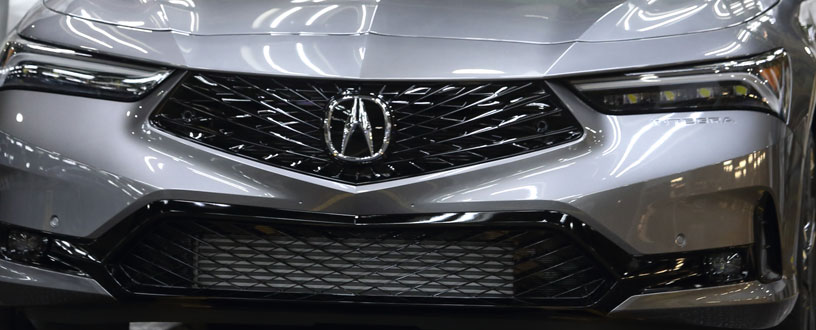
This section covers essential tips for lead response, appointments, and email contact management.
 Lead Response Guide
Auto-response received during business hours
- Every lead should receive an immediate auto-response, especially during business hours.
- Include information on what the client should expect next. For example, a personal response within 30 minutes.
Personal Email or Phone Response Within 30–60 Minutes
- A 30-minute response time is ideal; 60-minute response time is good – longer than that, and clients start to wonder.
- This first personal response is the first communication from someone at the dealership directed to the client, and is not an auto-response.
- Always try to use the customer's preferred communication method: email, phone, text, etc.
Price Quote
- The first personal response should include some form of price quote — this may be a payment, MSRP, internet price, or a more detailed quote.
- If your client has inquired about a specific vehicle listing, they already know the price posted online. Your price quote should be tailored to their inquiry and provide something they don’t already know.
Vehicle Availability
- Include information on vehicle availability (appropriate to the inquiry) – matching vehicles in inventory, specific VIN, status on the lot/available/sold, etc.
Call to Action
- A call to action can be as simple as putting an expiration date on the offer, mentioning an expiring sale, or offering a special promotion.
- The call to action may be sensitive to time or availability.
- "Pricing is valid until the end of the month and while supplies last."
- "Your price quote is valid for seven days through our Internet Department."
- "We only have one left on the lot!"
- The call to action may also be the next step in the process – for example, scheduling an appointment for a test drive. Pro Tip: The Acura Test Drive Route Planner is a great tool to use.
Why Buy Here?
- Include highlights that differentiate your dealership and yourself from others.
- Free car washes, loaners for service, digital sales, and service processes.
- You might include awards or accolades for the dealership or yourself – for example, rated Best-in-Class Dealership by an automotive magazine or website.
Answer the Client's Question
- Your first personal response must answer the client's question. Don't simply repeat or ignore it with a stock reply.
Follow-up Communications
- Use the client’s preferred method of communication as needed to share additional information pertaining to the inquiry.
Alternative Vehicles
- If applicable, your response may also include alternative vehicles (with pricing information) to expand your client’s options.
Competitive Brands
- Ideally, your response should not include other brand logos, images, or names.
Spelling and Grammar
- When communicating by text, email, or social media, double-check messages for proper spelling and grammar. Avoid emojis, excessive capitalization, and unnecessary punctuation.
Phone Response
- Unless the client has indicated otherwise, you may supplement an email or text response with a phone call.
- If you call, you should do so within 60 minutes of receiving the lead.
- Follow up with an additional voice message if necessary.

Appointment Guide
Objective
- On average, clients have spent more than 13 hours researching vehicles online before sending an inquiry.
- Whenever possible, schedule a test-drive appointment, plan a route, and ensure the vehicle is prepared to deliver an ideal client experience.
Recommended Hard-Appointment Request
- Direct language encourages clients to schedule appointments. Use “hard requests” to get clients to commit to a time:
- "What time is most convenient for you to visit the dealership?"
- "When can I schedule an appointment to see the vehicle?"
- "Does today or tomorrow work for you to come in for a test drive?"
-
"Soft" requests get clients thinking about an appointment without a specific commitment:
- "I'd like to invite you to visit us for a test drive."
- "Would you be interested in coming in to see the vehicle sometime soon?"
- "Please let me know if you'd like to set up a test-drive appointment."

Avoid Overcommunicating
Maintaining good communication is an important part of the experience. But there’s a fine line between “enough” and “too much.” Keep the
following information in mind when interacting with clients:
- Share critical updates or new information quickly using the client’s preferred method of communication. If the situation is changing rapidly, however, don’t send separate updates for everything—compile new information into a single message.
- Use clear, effective subject lines when communicating via email. Update subjects as needed when replying.
- Avoid email spam triggers such as emojis, multiple exclamation points, ALL CAPS, or generic language like "GREAT DEAL!"
- Email spam filters often use subject lines to identify potential junk mail, so avoid triggers such as emoji, multiple exclamation points, all caps, and generic language like “GREAT DEAL!”
- Ask the client about contact preferences — not just their preferred method of communication, but frequency and amount of information.
- Whenever possible, get the client’s permission before contacting them.
Lead Response